
Pay a Broward County Court Ticket on PayItBrowardClerk
Once you have found and linked your case on PayItBrowardClerk (seeFind a Broward County Court Ticket on PayItBrowardClerk), you can submit your payment by following the steps below:
-
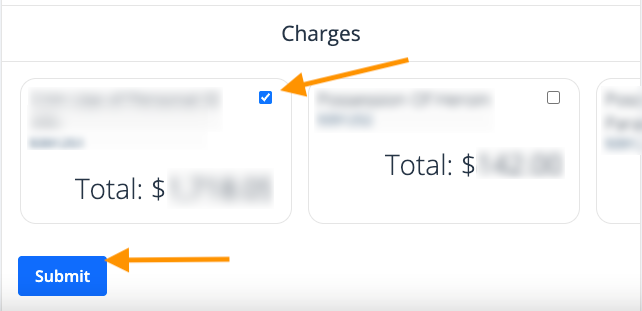
Select the charge(s) to be paid by checking each blue circle and then clicking Submit
-
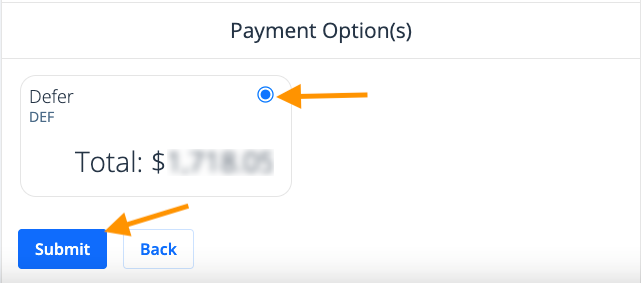
Select the payment option(s) by checking the blue circle and clicking Submit
-
Depending on the case, you may need to make a Defendant Driving School selection (if this is not the case, skip to step 6). Click on the blue circle of your selection, click Submit.
-
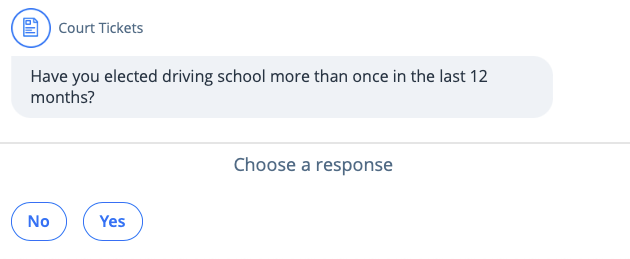
Answer the questions about previous driving school(s) you have attended
-
Read the driving school terms and conditions, and click Continue to enroll in driving school

-
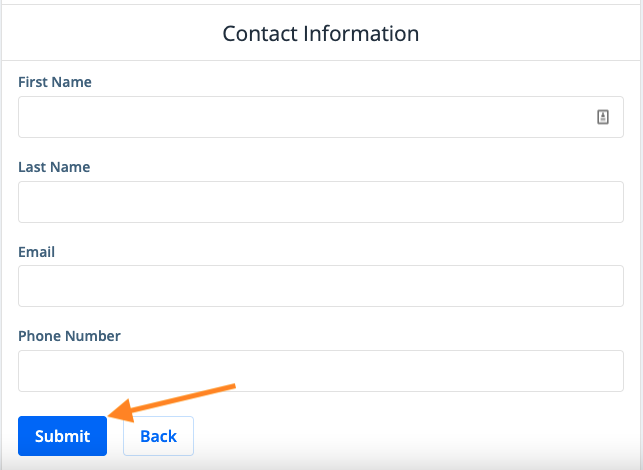
Enter your contact information as the payer and click Submit
-
Review your contact information and click Yes, or make the necessary changes

-
Answer whether or not you are the defendant in the case

-
If you selected that you are the defendant, read the admission of guilt and select I understand

-
Review the payment summary and click Add to cart

-
Click View cart

-
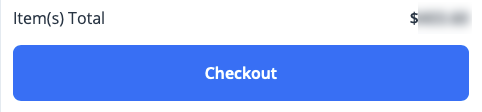
Review the items in your cart and click Checkout
-
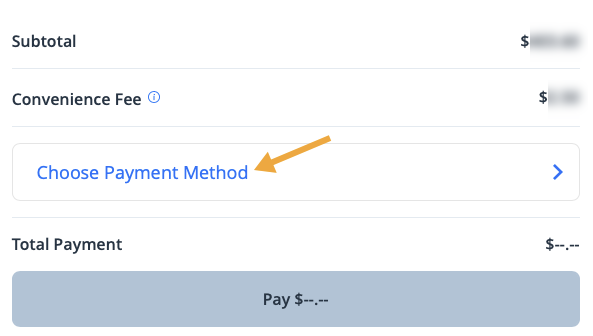
Click Choose Payment Method
-
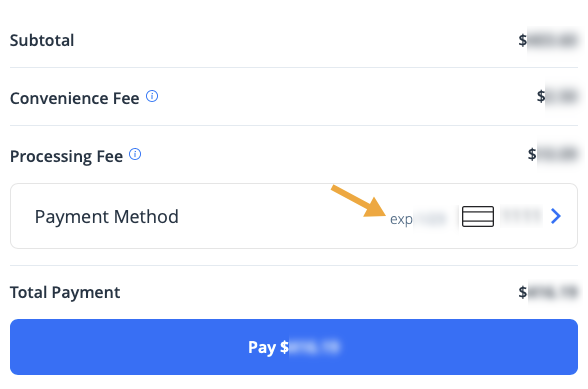
If a payment method has already been stored, it will appear here. To change the payment method or add a new one, click on the payment method.
-
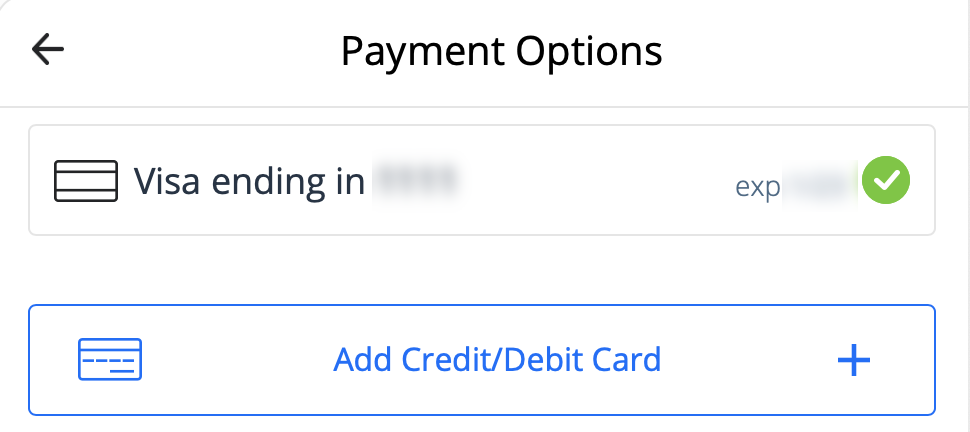
Select a stored payment method, or choose to Add Credit/Debit Card
-
For a new payment method, enter the payment information and click Add Card
-
Click Pay $--.-- to submit your payment

A receipt will be emailed to you, and stored in your profile if you signed in or created an account (see Find a Receipt on PayItBrowardClerk for more information).